Qwen3高效微调(下)
课程说明:
- 体验课内容节选自《2025大模型Agent智能体开发实战》(5月班) 完整版付费课程
体验课时间有限,若想深度学习大模型技术,欢迎大家报名由我主讲的《2025大模型Agent智能体开发实战》(5月班)

《2025大模型Agent智能体开发实战》(5月班) 为【100+小时】体系大课,总共20大模块精讲精析,零基础直达大模型企业级应用!

同时,5月班重磅新增DeepSeek+Agents SDK+谷歌ADK+MCP技术应用与智能体开发相关实战内容,并计划新增Qwen-3模型实战教学:

部分项目成果演示
from IPython.display import Video
- MateGen项目演示
Video("https://ml2022.oss-cn-hangzhou.aliyuncs.com/4.MateGen%20Pro%20%E9%A1%B9%E7%9B%AE%E5%8A%9F%E8%83%BD%E6%BC%94%E7%A4%BA.mp4", width=800, height=400)
- 智能客服项目演示
Video("https://ml2022.oss-cn-hangzhou.aliyuncs.com/%E6%99%BA%E8%83%BD%E5%AE%A2%E6%9C%8D%E6%A1%88%E4%BE%8B%E6%BC%94%E7%A4%BA.mp4", width=800, height=400)
- Dify项目演示
Video("https://ml2022.oss-cn-hangzhou.aliyuncs.com/2f1b47f42c65fd59e8d3a83e6cb9f13b_raw.mp4", width=800, height=400)
- LangChain&LangGraph搭建Multi-Agnet
Video("https://ml2022.oss-cn-hangzhou.aliyuncs.com/%E5%8F%AF%E8%A7%86%E5%8C%96%E6%95%B0%E6%8D%AE%E5%88%86%E6%9E%90Multi-Agent%E6%95%88%E6%9E%9C%E6%BC%94%E7%A4%BA%E6%95%88%E6%9E%9C.mp4", width=800, height=400)
此外,若是对大模型底层原理感兴趣,也欢迎报名由我和菜菜老师共同主讲的《2025大模型原理与实战课程》(5月班)

两门大模型课程5月班目前上新特惠中,立减2000起,合购还有更多优惠哦~详细信息扫码添加助教,回复“大模型”,即可领取课程大纲&查看课程详情👇

Qwen3高效微调实战(下)
纯代码版
- 导入模型
from unsloth import FastLanguageModel
import torch
max_seq_length = 2048
dtype = None
load_in_4bit = True
model, tokenizer = FastLanguageModel.from_pretrained(
    model_name = "./Qwen3-32B-unsloth-bnb-4bit",
    max_seq_length = max_seq_length,
    dtype = dtype,
    load_in_4bit = load_in_4bit,
)
model
tokenizer
- 模型性能测试
messages = [
    {"role" : "user", "content" : "Solve (x + 2)^2 = 0."}
]
text = tokenizer.apply_chat_template(
    messages,
    tokenize = False,
    add_generation_prompt = True, # Must add for generation
    enable_thinking = False, # Disable thinking
)
from transformers import TextStreamer
_ = model.generate(
    **tokenizer(text, return_tensors = "pt").to("cuda"),
    max_new_tokens = 256, # Increase for longer outputs!
    temperature = 0.7, top_p = 0.8, top_k = 20, # For non thinking
    streamer = TextStreamer(tokenizer, skip_prompt = True),
)
messages = [
    {"role" : "user", "content" : "Solve (x + 2)^2 = 0."}
]
text = tokenizer.apply_chat_template(
    messages,
    tokenize = False,
    add_generation_prompt = True, # Must add for generation
    enable_thinking = True, # Disable thinking
)

from transformers import TextStreamer
_ = model.generate(
    **tokenizer(text, return_tensors = "pt").to("cuda"),
    max_new_tokens = 2048, # Increase for longer outputs!
    temperature = 0.6, top_p = 0.95, top_k = 20, # For thinking
    streamer = TextStreamer(tokenizer, skip_prompt = True),
)
- 显存占用测试
gpu_stats = torch.cuda.get_device_properties(0)
start_gpu_memory = round(torch.cuda.max_memory_reserved() / 1024 / 1024 / 1024, 3)
max_memory = round(gpu_stats.total_memory / 1024 / 1024 / 1024, 3)
print(f"GPU = {gpu_stats.name}. Max memory = {max_memory} GB.")
print(f"{start_gpu_memory} GB of memory reserved.")
- 数据处理流程
Qwen3 具备推理模式和非推理模式。因此,我们应当使用两个数据集:
-
我们使用 Open Math Reasoning 数据集,该数据集曾被用于赢得 AIMO(AI 数学奥林匹克 - 第二届进步奖)挑战!我们从中抽取了 10% 可验证的推理轨迹,这些轨迹是基于 DeepSeek R1 模型生成的,并且准确率超过 95%。
-
我们还利用了 Maxime Labonne 的 FineTome-100k 数据集,该数据集风格类似 ShareGPT。但我们需要将其转换为 HuggingFace 通用的多轮对话格式。
!pip install --upgrade datasets huggingface_hub
# 设置 HTTP 和 HTTPS 代理
os.environ["HTTP_PROXY"] = "http://127.0.0.1:10080"
os.environ["HTTPS_PROXY"] = "http://127.0.0.1:10080"
from datasets import load_dataset
reasoning_dataset = load_dataset("unsloth/OpenMathReasoning-mini", split = "cot")
non_reasoning_dataset = load_dataset("mlabonne/FineTome-100k", split = "train")
reasoning_dataset
non_reasoning_dataset
def generate_conversation(examples):
    problems  = examples["problem"]
    solutions = examples["generated_solution"]
    conversations = []
    for problem, solution in zip(problems, solutions):
        conversations.append([
            {"role" : "user",      "content" : problem},
            {"role" : "assistant", "content" : solution},
        ])
    return { "conversations": conversations, }
reasoning_conversations = tokenizer.apply_chat_template(
    reasoning_dataset.map(generate_conversation, batched = True)["conversations"],
    tokenize = False,
)
reasoning_conversations[0]
from unsloth.chat_templates import standardize_sharegpt
dataset = standardize_sharegpt(non_reasoning_dataset)

non_reasoning_conversations = tokenizer.apply_chat_template(
    dataset["conversations"],
    tokenize = False,
)
non_reasoning_conversations[0]
print(len(reasoning_conversations))
print(len(non_reasoning_conversations))
非推理类数据集的长度更长。我们假设希望模型保留一定的推理能力,但又特别希望它作为一个聊天模型来使用。因此,我们需要定义一个 仅聊天数据的比例。目标是从两个数据集中构建一个混合训练集。这里我们可以设定一个 25% 推理数据、75% 聊天数据的比例: 也就是说,从推理数据集中抽取 25%(或者说,抽取占比为 100% - 聊天数据占比 的部分),最后将这两个数据集合并起来即可。
chat_percentage = 0.75
import pandas as pd
non_reasoning_subset = pd.Series(non_reasoning_conversations)
non_reasoning_subset = non_reasoning_subset.sample(
    int(len(reasoning_conversations) * (1.0 - chat_percentage)),
    random_state = 2407,
)
data = pd.concat([
    pd.Series(reasoning_conversations),
    pd.Series(non_reasoning_subset)
])
data.name = "text"

from datasets import Dataset
combined_dataset = Dataset.from_pandas(pd.DataFrame(data))
combined_dataset = combined_dataset.shuffle(seed = 3407)
len(combined_dataset)
对话类数据集
combined_dataset[0]
推理类数据集
combined_dataset[2]
- 微调流程
from trl import SFTTrainer, SFTConfig
trainer = SFTTrainer(
    model = model,
    tokenizer = tokenizer,
    train_dataset = combined_dataset,
    eval_dataset = None, # Can set up evaluation!
    args = SFTConfig(
        dataset_text_field = "text",
        per_device_train_batch_size = 2,
        gradient_accumulation_steps = 4, # Use GA to mimic batch size!
        warmup_steps = 5,
        # num_train_epochs = 1, # Set this for 1 full training run.
        max_steps = 30,
        learning_rate = 2e-4, # Reduce to 2e-5 for long training runs
        logging_steps = 1,
        optim = "adamw_8bit",
        weight_decay = 0.01,
        lr_scheduler_type = "linear",
        seed = 3407,
        report_to = "none", # Use this for WandB etc
    ),
)
# @title Show current memory stats
gpu_stats = torch.cuda.get_device_properties(0)
start_gpu_memory = round(torch.cuda.max_memory_reserved() / 1024 / 1024 / 1024, 3)
max_memory = round(gpu_stats.total_memory / 1024 / 1024 / 1024, 3)
print(f"GPU = {gpu_stats.name}. Max memory = {max_memory} GB.")
print(f"{start_gpu_memory} GB of memory reserved.")
import wandb
run = wandb.init(project='Fine-tune-Qwen-32B-4bit on Combined Dataset', )
trainer.train?
trainer_stats = trainer.train()
- 微调期间显存占用检测
# @title Show final memory and time stats
used_memory = round(torch.cuda.max_memory_reserved() / 1024 / 1024 / 1024, 3)
used_memory_for_lora = round(used_memory - start_gpu_memory, 3)
used_percentage = round(used_memory / max_memory * 100, 3)
lora_percentage = round(used_memory_for_lora / max_memory * 100, 3)
print(f"{trainer_stats.metrics['train_runtime']} seconds used for training.")
print(
    f"{round(trainer_stats.metrics['train_runtime']/60, 2)} minutes used for training."
)
print(f"Peak reserved memory = {used_memory} GB.")
print(f"Peak reserved memory for training = {used_memory_for_lora} GB.")
print(f"Peak reserved memory % of max memory = {used_percentage} %.")
print(f"Peak reserved memory for training % of max memory = {lora_percentage} %.")
- 微调后模型性能测试
messages = [
    {"role" : "user", "content" : "Solve (x + 2)^2 = 0."}
]
text = tokenizer.apply_chat_template(
    messages,
    tokenize = False,
    add_generation_prompt = True, # Must add for generation
    enable_thinking = False, # Disable thinking
)

from transformers import TextStreamer
_ = model.generate(
    **tokenizer(text, return_tensors = "pt").to("cuda"),
    max_new_tokens = 256, # Increase for longer outputs!
    temperature = 0.7, top_p = 0.8, top_k = 20, # For non thinking
    streamer = TextStreamer(tokenizer, skip_prompt = True),
)
messages = [
    {"role" : "user", "content" : "Solve (x + 2)^2 = 0."}
]
text = tokenizer.apply_chat_template(
    messages,
    tokenize = False,
    add_generation_prompt = True, # Must add for generation
    enable_thinking = True, # Disable thinking
)

from transformers import TextStreamer
_ = model.generate(
    **tokenizer(text, return_tensors = "pt").to("cuda"),
    max_new_tokens = 20488, # Increase for longer outputs!
    temperature = 0.6, top_p = 0.95, top_k = 20, # For thinking
    streamer = TextStreamer(tokenizer, skip_prompt = True),
)
- 微调模型保存:保存为fp16精度格式
model.save_pretrained_merged(save_directory = "Qwen3-32B-finetuned-fp16",
                             tokenizer = tokenizer,
                             save_method = "merged_16bit")
- 正在将原始 4bit 权重与微调产生的 LoRA adapter 合并,并转换为 16bit(FP16)精度,用于部署
- 会尽量使用不超过 703.3 MB(最大上限是你设备的 70~75% 内存)来进行保存操作,避免崩溃或卡死
- 开始保存模型,会进行合并+格式转换,时间取决于模型大小(比如 Qwen3-32B 预计要几分钟)
- 如果模型太大而内存不足,Unsloth 会自动启用“磁盘保存模式”,避免占用过多内存
- tokenizer 保存完毕
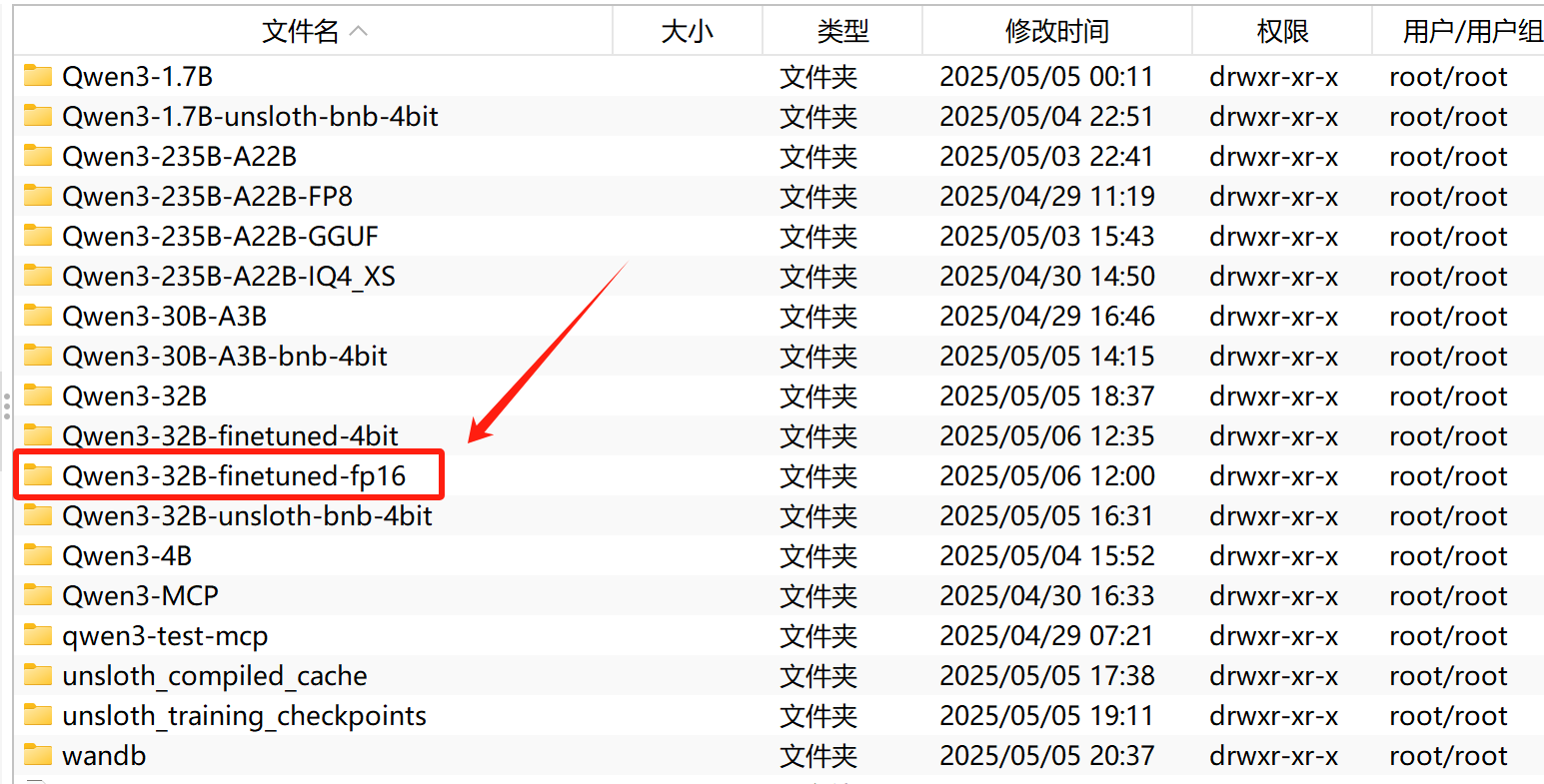
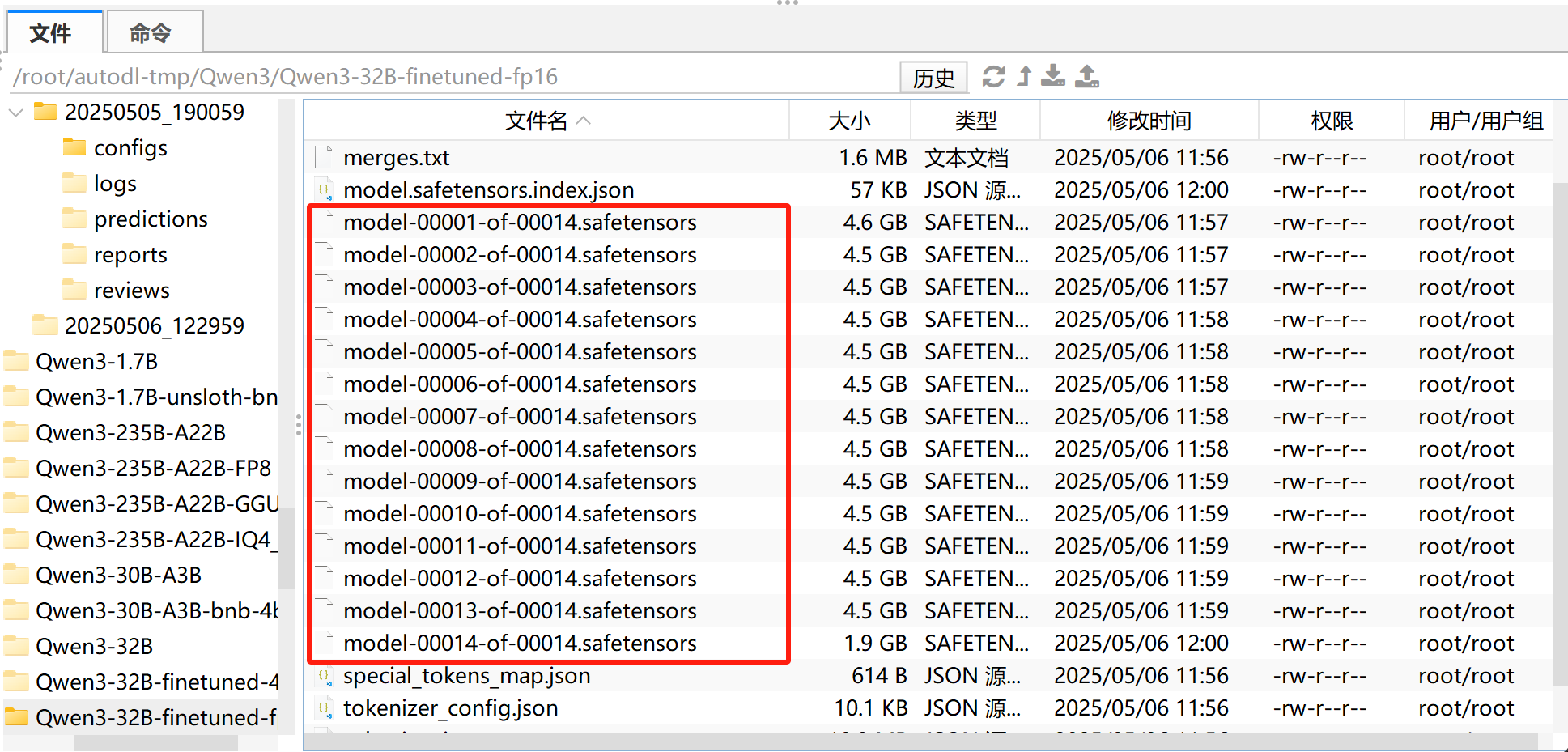
接下来即可使用vllm对其进行调用,并借助EvalScope进行测试。